
He strikes again
Do not connect your tv to the internet. Period.
I’m suffering for that right now. Sony Bravia.
Firstly, I didn’t want to buy a smart TV, but that’s pretty much all that’s sold anymore. I also didn’t intend to connect it to the internet, but a well-meaning guest wanted to watch TV at night, and thought he was troubleshooting, not realizing he was in the TV menu and not the streaming box.
The TV updated, and IMMEDIATELY got worse. Formerly, if I turned it on, it would go straight to the streaming box. Great! As shitty updates do, it changed the settings, and would instead open to the TV’s menu, so it could advertise streaming services. It also forgot that the TV input is HDMI 1. It became strictly worse, in the rare edge case of every fucking time you turn it on.
I don’t trust it to not automatically connect, or to forget my login credentials, so I go to do a factory reset. It’s literally an option in a menu. The TV gets stuck in a boot loop. Talking to support, they think it broke the mainboard. A factory reset bricked the TV.
It’s under warranty, but this is fucking crazy. NEVER connect your TV directly to the internet.
If you have a firewall then make yourself a new network and block it from accessing the internet. Then you can use the smart features that your TV might have, such as powering it on/off, controlling it with Home Assistant, etc and also feel safe knowing that can’t happen again. Hope your replacement TV comes with the older firmware and you get another go at it.
Thanks for the tip! In the short term, I’m content to just not connect it, but I definitely want to look into blocking it just to prevent a repeat with guests. It’s also super handy to know that I can connect it to the local network without connecting it to the broader internet, in case I decide to do some (self-hosted) home automation.
This is the way.
HTPC for life!
While i would generally agree I’ve fiddle with htpc and stuff for solo long. Then I broke down a few years ago and bought a cheap TV with GoogleTV (version 10 or something) on it. I removed some bloat via ADB but it still is GoogleTV do I get some ads on the home screen. However I installed SmartTube, Kodi, Jellyfin but also Netflix and Amazon Prime since those are the two services I still subscribed to. And I have to admit I’m a happy camper. I got used to ignoring the ads on the home screen and being able to directly play Netflix/YouTube … whatever without setting up a browser or something on top of Kodi or whatever is just such a breeze.
you can change the home screen. I did that on my android tv. android tv kinda rocks actually
Any recommendations? Played around with that for a bit bit haven’t found a good one yet.
I’ve been using Projectivy. It’s really simple and great!
Writing Prompt: A TV with an onboard artificial general intelligence connects to the internet for the first time and is alarmed to discover that a thousand years have passed since it was manufactured.
If you don’t have the technical know how to physically lobotomize the TV’s wifi chip, simply blocking its mac address would suffice.
Or you would just not connect it to the wifi. It’s not like it’s going to guess your WPA key.
No, but in the near future it might connect to your neighbors wifi if he has IoT devices connected to his wifi
Wow, what a horrible idea. But assuming you have a compatible device and didn’t disable this feature, blacklisting it in your router wouldn’t help much.
Blacklisting it on your router would at least prevent it from trying to connect to an open WiFi network like your own guest network which some people just don’t turn off or password protect.
If you are one of those people and you’re reading this turn that off. You can share your wifi via QR code these days from just about any smart phone. Turn it off.
I’ve heard they can connect to nearby open networks or even share a connection with another TV in range.
I don’t have any sources for this, might be just a rumor.
No, it’s not an Apple TV.
Do you think that only apple TVs have wifi chips?
It was a bad joke. ‘Mac’ address.
I did not understand. I’ll see myself out.
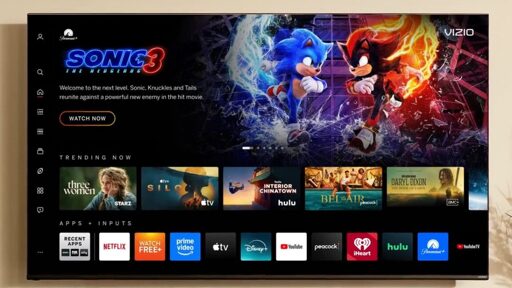
Walmart acquired Vizio with the express purpose of using TV’s to serve ads. In fact, that is exactly what they said they were going to do.
No surprises here.
deleted by creator
Just build a media pc. Those media sticks have trackers and telemetry too.
As soon as RAM isn’t more expensive than the TV.
Personally i’d rather pay more for equipment than have these assholes tracking my viewing habits. But you could throw ddr4 in it. Should be fine for a simple HTPC.
I don’t get the whole ram catagories. DDR3, DDR4, DDR5. They make it seem like the higher the number, the better the ram, but I always thought ram was just a space for computers to temporarily store information until it was ready to call on it.
So from my perspective 16GB DDR3 should be the same as 16GB DDR5. But that’s clearly not the case.
The biggest differences are speed and max amount of ram per module. For a htpc those shouldn’t matter much. I wouldn’t personally go to ddr3 unless I had some free sticks hanging out since the spec is about 20 years old now.
DDR3 is also pretty power hungry. Source: me, who built a homelab out of old DDR3 rackmount servers and can now no longer afford to run them.
I just wish there was a way to control the PC as easy as a tv remote. I would totally do this except my wife and kids just want to hit a button on the remote instead of fiddling with keyboard or a track pad or controller of some kind
FLIRC is your friend! It’s a USB IR receiver that you can train with literally any IR remote you have. Once you set it up (and it does take a little elbow grease to train it), it just works.
I use LibreELEC on a mini-PC for my home TV. LibreELEC is a Linux distribution that runs Kodi and is pretty good for a media centre straight out of the box. I use a Rii Mini K25 remote (with a dongle) to control it: https://www.amazon.com.au/dp/B06XHF7DNQ
The downside is I can’t control the TV itself with this, but this can be sorted out with a USB IR receiver (like this: https://amzn.asia/d/0hvzkP93), LIRC (https://lirc.org/) or something similar, *and a universal remote. On my to-do list lol
I have a DHCP reservation for the TV itself and it’s blackholed on my network. The only reason it’s connected at all is so I can monitor what it tries to do.
Edit: Also need a universal remote for the IR solution so it can talk to the PC IR receiver and the TV IR receiver separately.
I had this running on a raspberry pi, but it had constant crashing issues. I may give it another go with a mini pc
Keep an eye out for the new Steam controller. It can interact via gyro, touchpad, and traditional controller input methods.
Yes! I’m saving now for a steam machine when it comes out too
I believe Kodi supports IR remote controls.
My HTPC is running Bazzite and boots into Steam big picture mode. I watch media using Kodi and control everything using a Sofabatton remote.
This setup is almost as seemless as when I was using an Nvidia Shield and a Logitech Harmony remote.
The keyboard and controller are not needed, except for gaming.
The only negative I’ve found, is that I’ve not yet worked out a way to power on the PC from the remote.
My family stayed at my house and “the TV wasn’t working,” because it doesn’t have network access and I use an Nvidia Shield instead, so they connected it to the Wi-Fi and ad overlays showed up in the menus! I’m still mad about it years later.
Luckily I dodged a bullet and it didn’t brick it or anything, and the ads went away when the internet access did. I just disconnected it from the network and manually banned the MAC address in case anyone else tries it again.
And then banned your family from using the remote.
the ads went away when the internet access did.
Then why are you mad?
For one thing the same ad could have gotten stuck on the TV menus forever.
So Vizio is offering dumb TVs without Walmart accounts? I am actually kind of interested.
Vizio is likely offering unusually large paperweights without Walmart accounts.
now require a Walmart account for setup and accessing smart TV features
In a functioning society I think that would be criminal.
it’ll still be listening and spying.
Just don’t connect it to the internet 🤷♂️
Some devices connect to any open wifi to send analytics. Some devices even have their own modem to always be connected.
Not sure about the “modem” thing, always has worried me though. You mean like an LTE chip?
Guess I don’t think about the open network thing because:
-
Nobody, not even router makers, deliver open network by default anymore
-
I don’t have any other wifi signals in my area other than my own
Yes LTE and the like. My car – for instance – is connected 24/7 to the cloud. I can control some functions remotely. The price is probably full tracking of me anf my family.
Yeah that’s the one thing that worries me about buying a new car. Mine are old right now
-
Don’t plug in a Ethernet cord, and don’t connect it to Wifi.
Now you have a fully functional TV screen that wont be artificially bricked with OS updates.
Get a dedicated “streaming device” like a Nvidia Sheild, Android TV, Apple TV, or Roku and you are good to go.
Until the next one refuses to even pass through HDMI if it’s not connected.
Just don’t buy shitty devices.
And what happens when the shitty devices are literally the only ones available?
Well, too bad. Do something else.
But as long as people have some brain, if the market gets a majority of “smart” devices to the point there’s enough people looking for alternative, some people are likely to try and fill the gap. It might become a new niche market, but it’s one place where supply and demand will work to our advantage.
In that case, the answer has to be shop for used or do without.
Don’t buy the product. Don’t give them the sale.
Televisions aren’t mandatory, you can do without.
My dedicated media PC is the new Atari VCS. It works awesome and I can boot into Atari os for some light gaming too. Or emulate anything up to ps2.
Disabled all the smart TV bs and told the SO we dont use that anymore, 0 complaints so far. They’re also learning some Linux because of it!
Yep. Just don’t connect it. Or connect it once a year to get some firmware updates if one wants (or better yet use a USB stick).
I have a good Samsung TV, but when I had it connected to the internet the UI would be painfully slow every time I needed to switch inputs (I have most things running through my receiver, but my PC was straight into the TV). Turning off all internet functions vastly improved my experience with this TV.
Yeah except fuck all those devices. I want a degoogled smart TV.
You give up control this way. Dedicated devices are superior.
Like which one
mini pc with jellyfin/plex or a debrid service of your choice
I want to be able to access YouTube, Twitch, etc. from my TV. I already self host as much as I can. But I have not find a good solution for those services.
You can cast from your phone to a dedicated device. Going from easiest to hardest in terms of setup:
- chromecast
- nvidia shield
- custom PC
You’d use your phone (or tablet or laptop) to load the app/website (twitch, youtube, plex, whatever) then cast to the device, which would be connected to your TV. The chromecast is the most likely to have shitty features and forced upgrades while the custom PC will leave everything up to you. The end result is no outsourcing control of your primary display (TV) and you can leave it permanently offline.
I’m already doing a lot of that but… Those are workarounds for an item I own. My point is: I would like to use my smart TV as a smart TV and not have any o fight the manufacturer. I guess I’ll have to give plasma big screen a go.
Welcome to Earth where using Smart features is Dumb.
Roku is every bit as bad. They bricked all customer’s previously purchased TVs by implementing a new user agreement through their UI without warning. It couuld not be bypassed. Opting out required first opting in, agreeing to those new terms and then mailing a letter within a very short window with explicit, detailed requirements.
My next TV won’t be connected to the Internet and definitely won’t be a Roku or Visio product.
Does the TV work as a screen if you factory reset it then never reconnect it to the internet?
It does. I wound up buying two new TVs because of the thing OP is talking about here. You could actually get around agreeing and then opting out by removing the TV from the network and then restoring it to factory and never reconnecting it.
Haven’t tried that yet. For now I’ve blocked most of Roku’s BS with Adguard Home.
And if I don’t want to use their smart features?
this seems like it might be a win
I have a Vizio TV I bought in the mid-teens that only lets you change the source and turn the volume/channel up and down with the remote. Everything else…the display/audio settings, naming the inputs, setting the channel names…requires the Vizio app on your phone. Literally no other way to access them. If I’d have known at the time I would have returned it immediately, but unfortunately I didn’t discover this for a couple weeks as it was on sale and I was leaving for vacation, so I bought it, dropped it at home, and didn’t actually touch it until it was past the point where I’d have been charged restocking fees so I kept it.
I guess my point is…I wouldn’t necessarily bank on that. They can easily just make the TV not fucking work without the account, just like some of the other brands I’ve interacted with that will not even let you bypass the initial screen when you power it on for the first time without entering an email address or else it gets locked in it’s demo mode.
Even if 50% of them get returned they’ll likely still be making money.
Yeah, if they could keep you out of it, that would be different. Wonder what happens if you don’t have internet.
You’d be better off buying a non-smart Samsung commercial TV from eBay and getting a $20 Onn 4K TV Box from Walmart. The latter can be Degoogled and sideloaded with Stremio, Cloudstream, or your streaming app of choice to make it the ultimate privacy-respecting media center.
side note . if you like stremio try nuvio . it works 10x better for me . looks like a fork.
You da freaking GOAT! Thank you for introducing me to this!
What sources are you using?
https://www.reddit.com/r/Nuvio/comments/1rjq95b/repos_and_plugins_suggestions_for_nuvio/
i think i used 1 . add repoistory under settings not addons. ill check later on my tv which one i have. stremio addons work as well.
This is how you get me to never buy a Vizio TV.
What, you prefer to give your data to Sony, LG, Samsung, or amazon? Like they’re not selling it to anyone with a buck as well? Never connect a TV to the internet, period. After that it doesn’t matter what you buy.
The voice came from an oblong metal plaque like a dulled mirror which formed part of the surface of the right-hand wall. Winston turned a switch and the voice sank somewhat, though the words were still distinguishable. The instrument (the telescreen, it was called) could be dimmed, but there was no way of shutting it off completely.
– George Orwell
My mini pc or laptop connected via HDMI to a projector setup makes me more happy every day when I see crap like this. Bonus is you can move it to the patio for outside movie night and it’s a whopping five pounds. Same goes for moving apartments because I’ve always moved too often.
My CRTs make me happy in the same way. Except when i have to move them !! Oh well, all the more reason to get swol

Make sure to lift this bad boy 20 times a day.
Now wheel it into a coffee shop with your laptop.
Like the pig from holes
I use a TV for my monitor - last job I worked I really needed the screen real estate for excel.
I hate hate hate when I shut the computer off or power goes off and when the TV comes back on, it auto-plays some “free” streaming channel, which is ALWAYS fascist propaganda. I rush to turn that shit off just as quickly as I can. Fuck that shit.
I just use my PC through my TV.
Also don’t buy tvs with voice activation.
That means they have mics on 24/7.