I’ve seen quite a few launchers on F-Droid, but I really fail to see what their advantages over the stock one are. I mean, what can be meaningfully different about arranging apps in a grid? But I guess the existence of so many options goes to show I just don’t get the gist of it.
So what launchers actually provide some interesting features that make it worth switching to them?
I use Kvaesito and its the best
Instead of the usual home launcher its based on a search bar for the apps as well as their internal shortcuts for stuff like Assistants and apps Cross-referencing others
So I can type in timer and instead of having to search for the clock, the timer, etc it just shows the timer section of the clock, make a new timer and a few ones I already have
I compared about 8 launchers, Kvaesitso was and still is the best.
Solid.
Lawnchair because I can stack widgets on each other, and very fast
Lawnchair seems to be a better experience over stock, as it has a lot more customisation options. Though my experience with it is that it has rather slow updates and icon packs don’t work saperate from the app drawer and home screen. It should, but it didn’t work for me
I really enjoy Niagra, I installed it three times before it clicked with me. It is also telemetry that I moved away from. I had nova for years but it got slopped.
I think Olauncher is on my tablet and I likeit. Lightweight and foss.
What happened to Nova? I use it and seems to work fine?
It’s proprietary so it was always bad. The degooglers just realized it when it bit them in the ass, but before then they were promoting it all over the FOSS/degoogle community as one of the good proprietary apps.
It got bought by an ad company. https://www.androidauthority.com/nova-launcher-acquisition-ads-update-3633871/
Ah sh*t
I primarily switched (to Kvaesitso) because I don’t use Google search and it was impossible to remove the Google search bar from my home screen on a Pixel. I do enjoy the greater degree of customization as well.
I switched to KISS launcher a while ago (years ago?)and I absolutely love it. It is search based but you can have tags for apps which allow you to have something akin to folders. If an app fits two tags then so be it, it will show up in all the tag folders, so organisation can be much cleaner. It is also blazingly fast and keeps things clean.
Yeah, KISS is great. Tag-based searching is so flexible.
I love kiss launcher too! Why bother with folders if you can find the app with typing in two letters in the search bar? A few apps as favorite is pretty useful too
Kvaesito: minimal UI with many unique customizations/features.
I also use this one, with one line of fixed apps and one line that changes based on usage levels. I use the delta app icon pack as well to standardise the look a little. Search for everything else, supporting tags so that e.g. 3 different parking apps come up when I type parking
When I see other people paging left and right searching for their app from a disordered list, I’m really glad I switched
I wish Niagara was FOSS and actually let me costumize my home screen without AI bullshit. I just like my alphabetical list.
I think there are a few now… iirc victoria launcher is one of them.
I believe all of those new launchers (including Victoria) are vibe coded if the OF doesn’t want “aaI bullshit”?
Grace launcher is also very similar to Niagara.
Wow. This one is great. Thank you!
Will check that out, hell yeah, thank you
You have AI bullshit on Niagara? I looked around on mine and dont see it. I’ll uninstall right away if I see it.
Its in their customization options. The built in wallpapers and shit are all AI.
I dont use those, once I see it in the features like AI chatbots its gonna go. Many of the “Ready Made Themes” are the same images that have been in Niagara since it was in beta. So I dont doubt there are AI themes but many in there are older than AI.
Minimo launcher is a fantastic foss text based launcher, like Niagara
I use kvaesitso and love it, but it’s certainly an opinionated approach. But while it is search focused, you can customize it to make it more traditional
Any specific suggestions for Nvidia Shield TV? The regular one is being progressively enshittified. I need something basic open source, but not too ugly looking.
I use ProjectIvy but it isn’t listed in F-Droid. There have the APK on GitHub: https://github.com/spocky/miproja1/releases
Luncher looks promising but I haven’t used it yet: https://f-droid.org/packages/com.luncher.launcher
ProjectIvy looks good, and I can even install it from Google Play directly. Thanks.
Niagara or Pro Launcher. I accidentally paid for the latter before realizing Niagara does the trick just fine.
It’s been a while since I tried Niagara, but I’ve been using Pro Launcher the past few years. Earlier this week I decided to try a more traditional launcher again. It was terrible. 😆
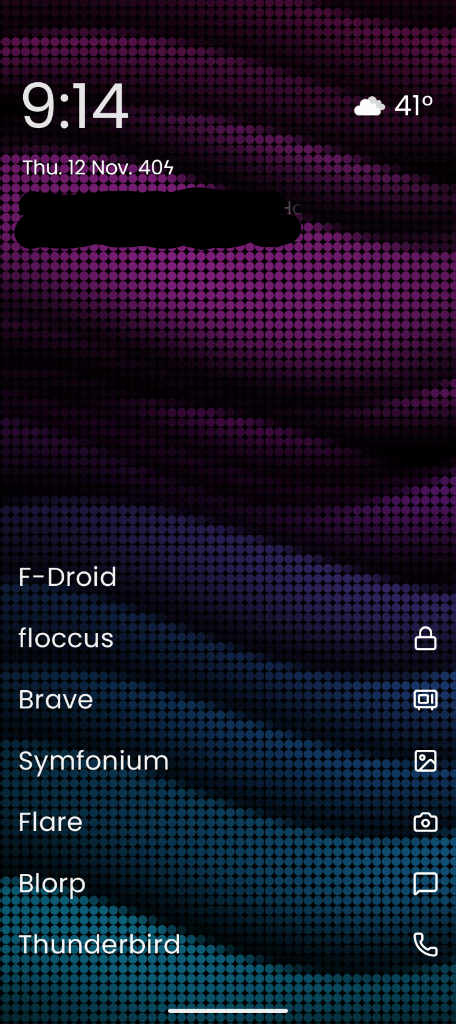
I like that Pro gives me the second set of apps on the right. Then a swipe in from the left gives me my Capy feed while a swipe in from the right brings up Pro’s built in quick notes. Swipe up for all apps going straight to search.
Quick update: my home screen went totally unresponsive after I posted. Then I realized I was tapping at the screenshot. Derp.
Hilarious. I’ve done exactly that before.

The minimalist ones take a different approach, and are really great at encouraging less phone use: minimo launcher, fokus launcher, olauncher and its variants, etc. There’s some theory around why grayscale and text are less addictive than colorful icon grids, widgets, and multiple pages, but I can’t find it right now.
I’m currently on murine launcher because I have a tiny phone, but I use black and white icons with arcticons.
Love olauncher. Using it for a couple years.
I’ve been using Quick Search for a couple months now and it’s amazing. Every other launcher feels useless without this. But it seems to be vibe coded so a head’s up.
It has one search bar for everything. Appa, app shortcuts, browser bookmarks, searching online, contacts, files, etc. Lots of other useful features too.
I’ve been using MinimalSF for a while now and really love it 🥰
I’ve been using the TUI Launcher for like a decade now. It’s kinda been abandoned, but it still works perfectly fine.